

Setting up your Chrono944
Thanks for buying a Chrono944!
1. Get the app
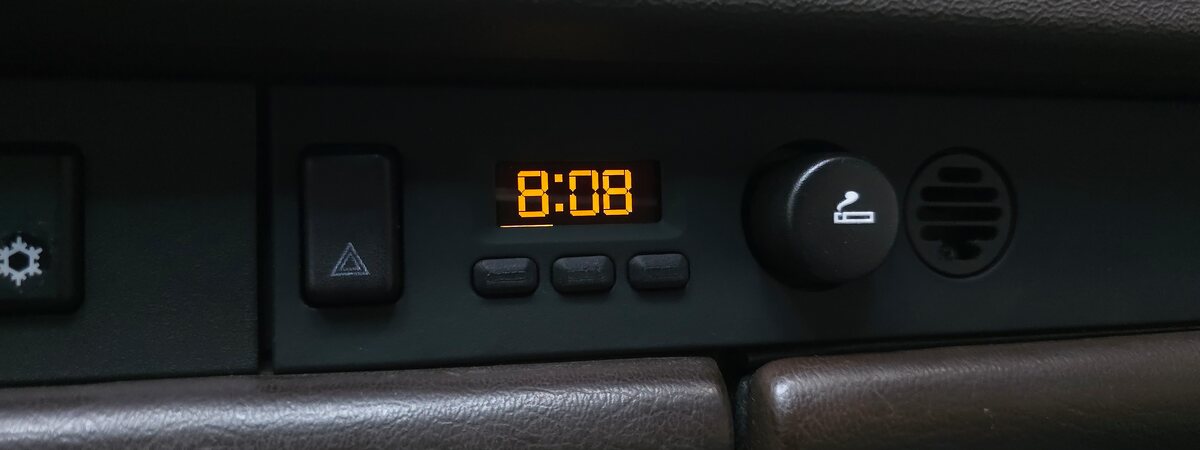
The app isn’t out yet, so go ahead and put Chrono944 in now. It works as a clock in the meantime, and the app finishes setting it up once I email you the link.
2. Put it in your car
All you need is a PH1 and a PH2 Phillips screwdriver. There’s no need to disconnect the battery.
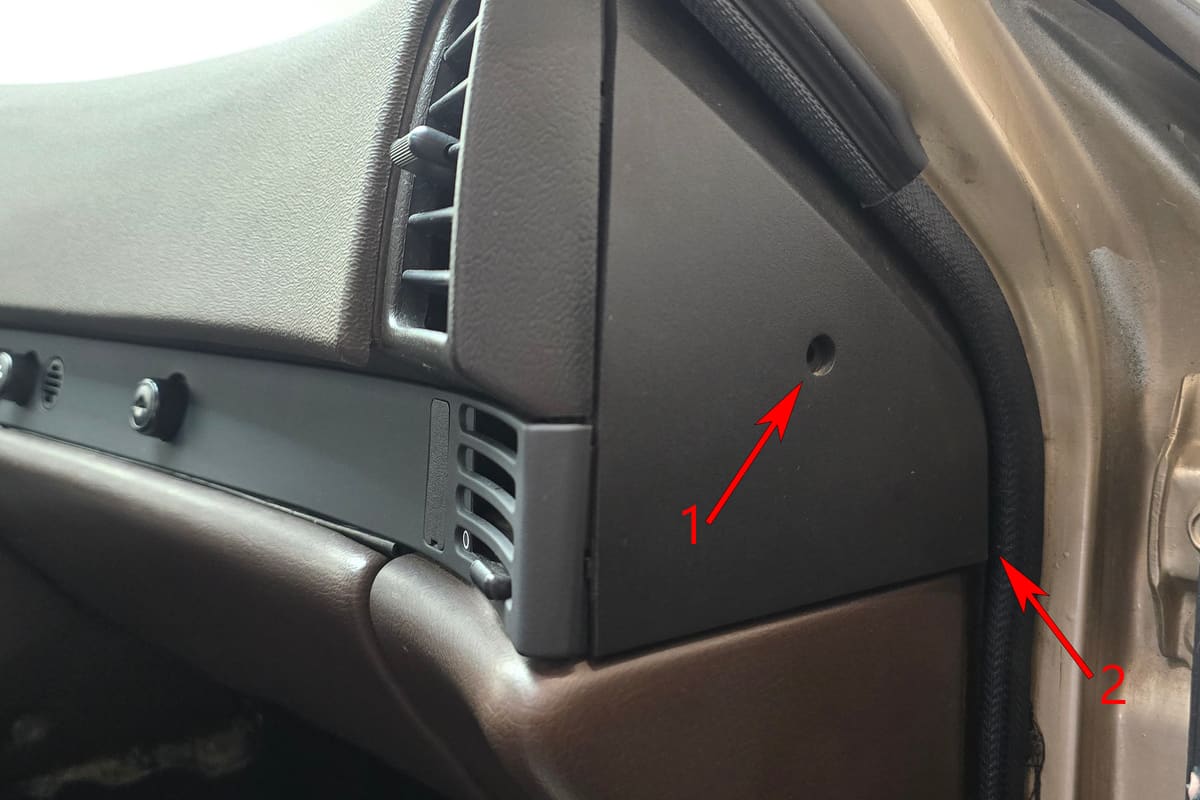
Take out the screw in the cover on the end of the dash, by the passenger door. Then pop the cover out from the rear.
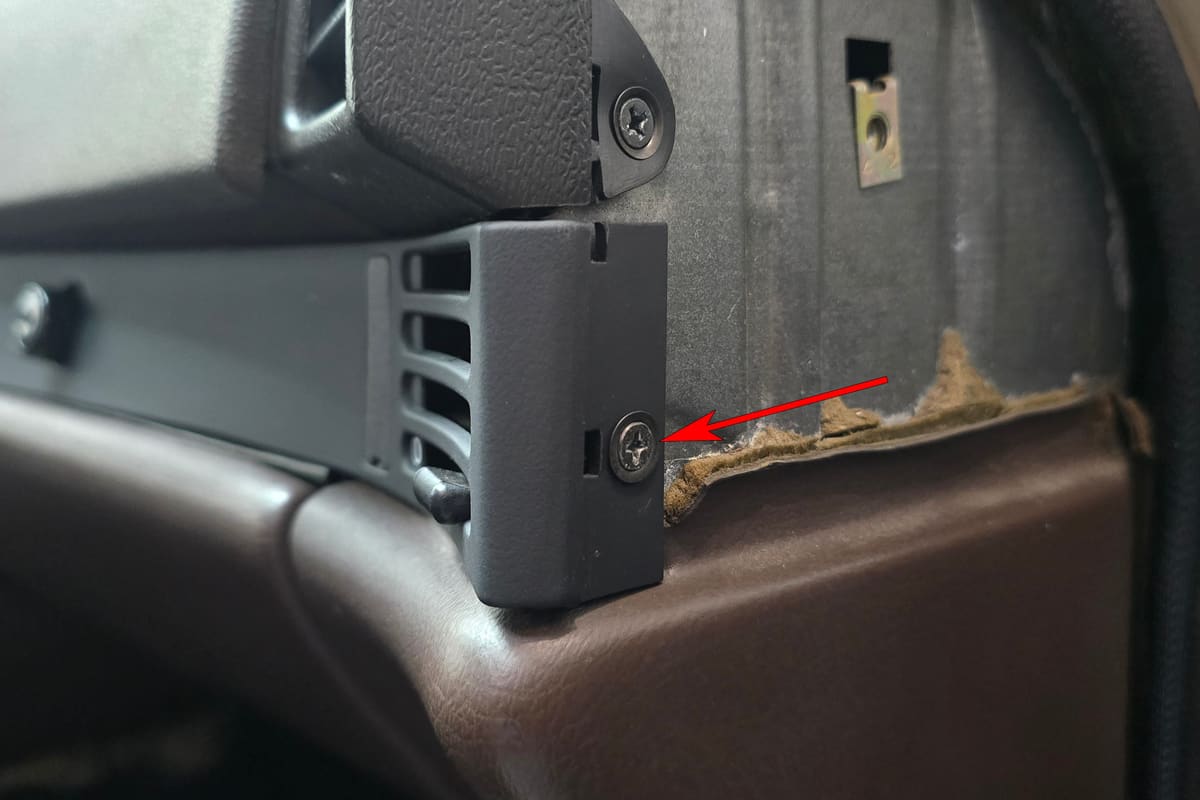
Take out the screw in the side of the trim piece.
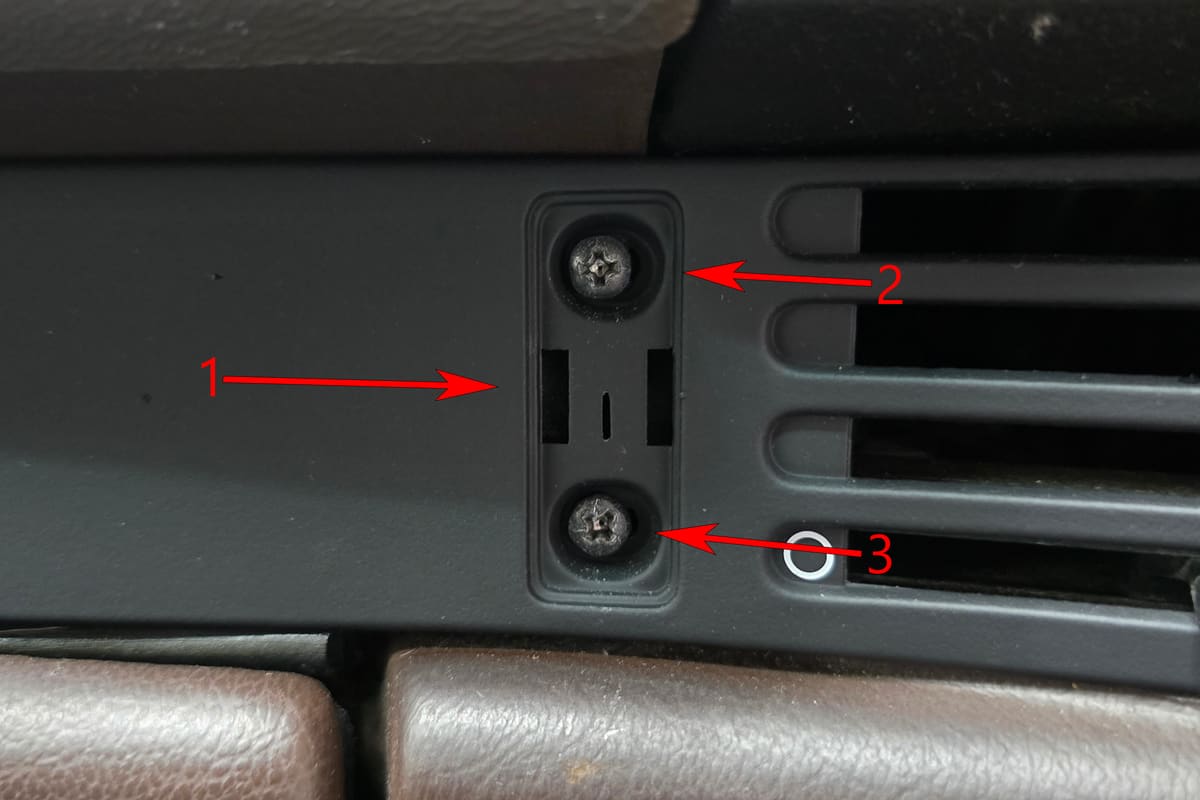
Pop off the small cover at the right end of the trim strip, then take out the two screws under it.
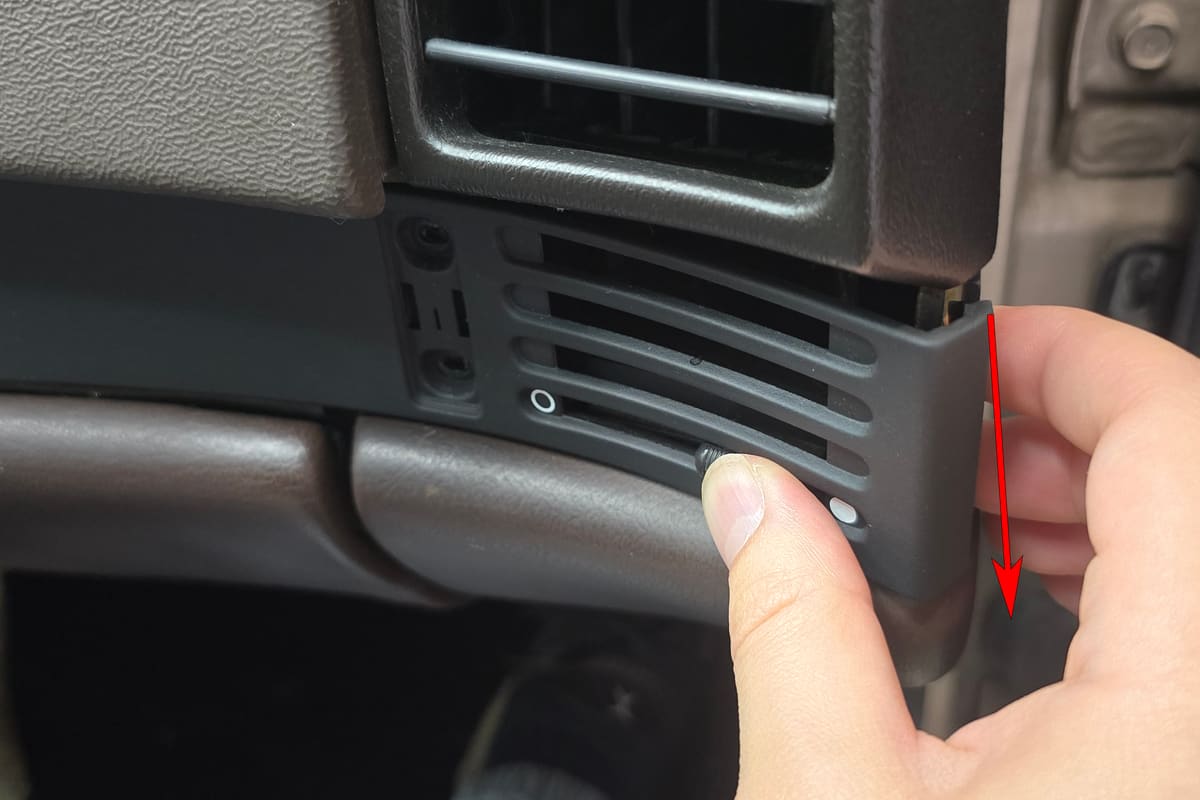
Pull the trim piece off the vent knob. I find it helps to hold the vent knob with my thumb while doing this.
Turn the round vent grille next to the lighter counterclockwise, and it comes right out. Then take out the screw behind it.
Stick your screwdriver in the bottom slot of the grille and push on the right side, and it’ll help it turn. Take care not to damage the grille, as I already have.
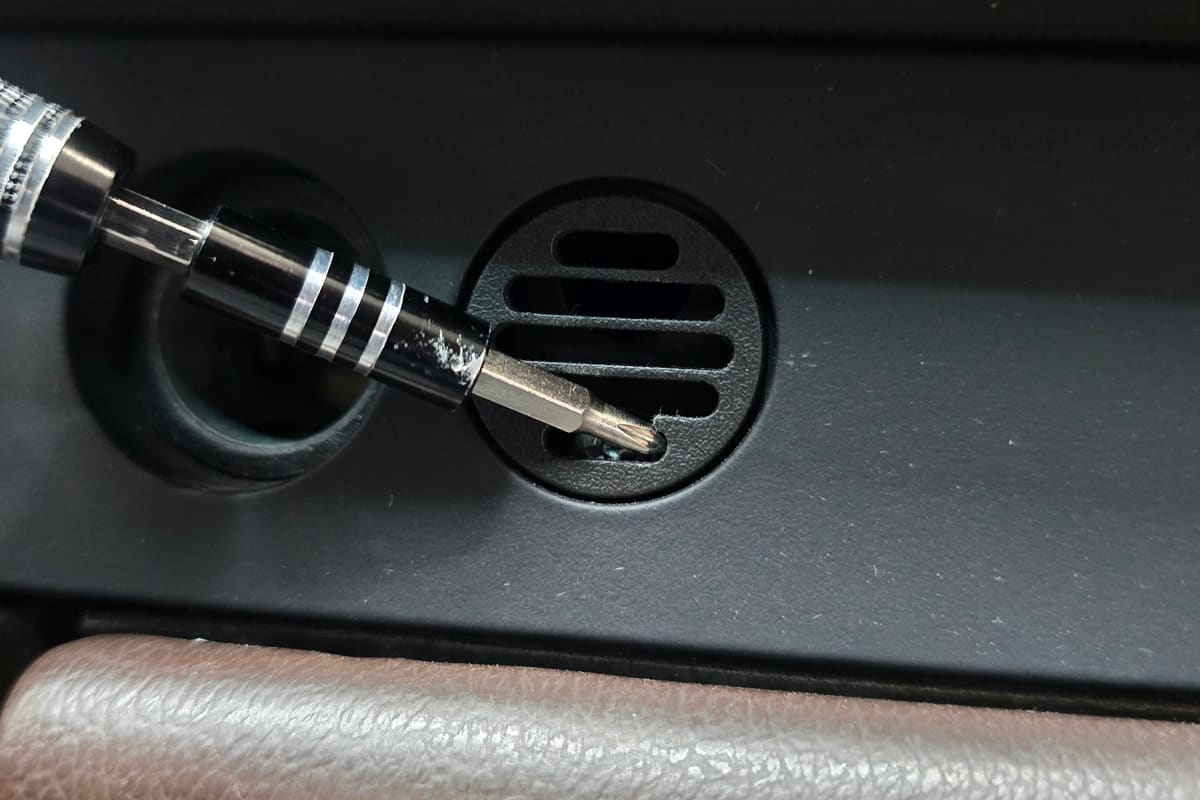
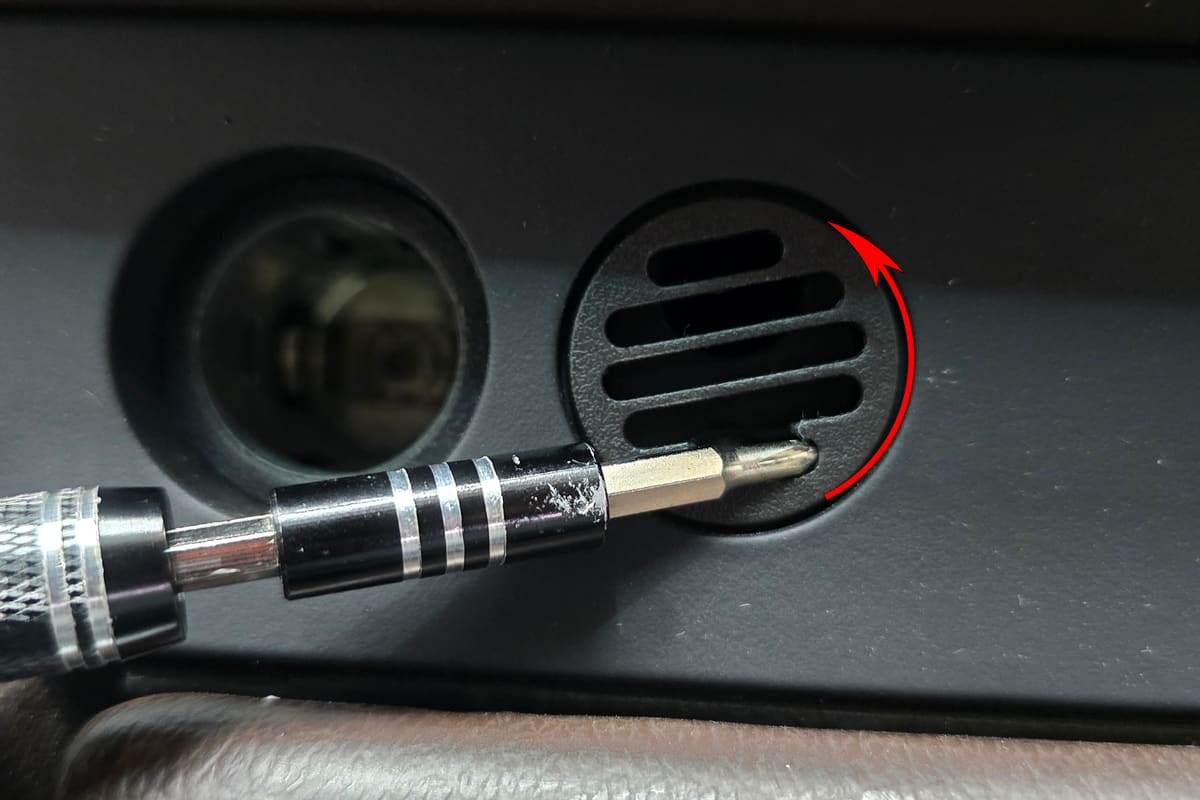
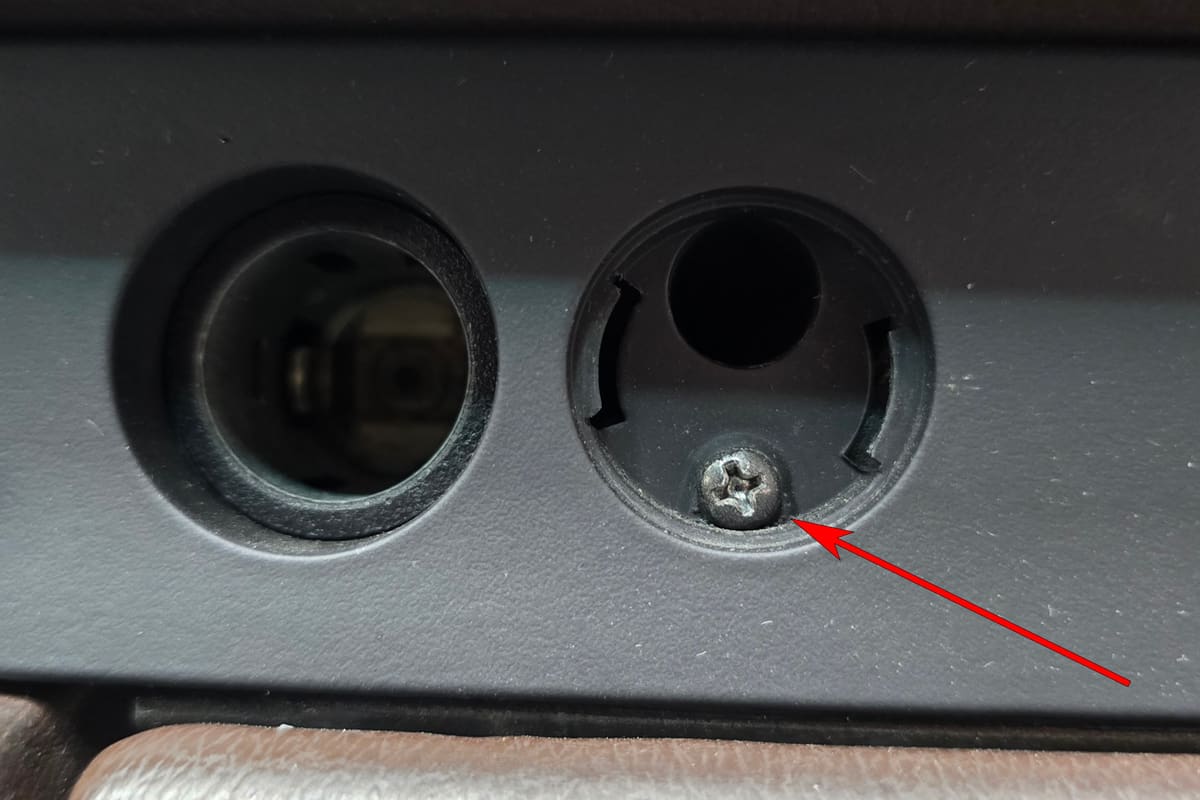
Pull the knobs off the AC controls’ up and down sliders.
Pry the trim off the AC controls.
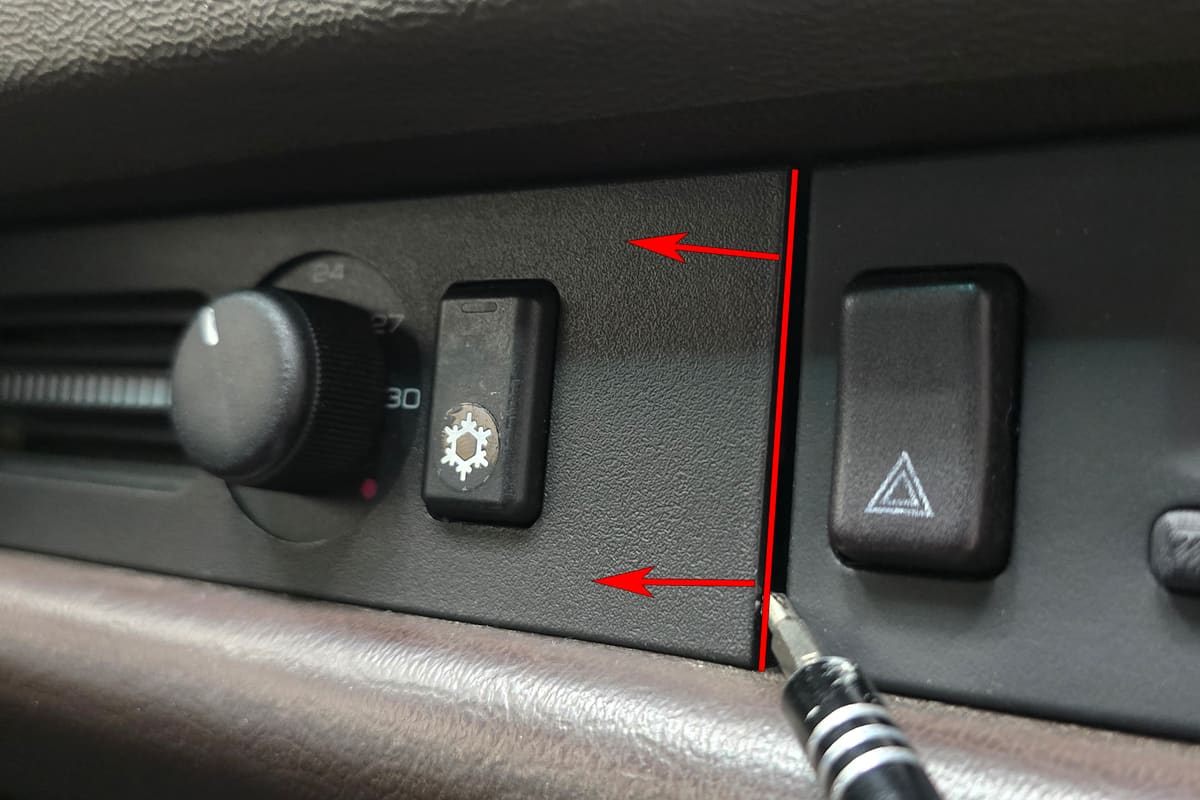
Take out the two screws on each side of the AC controls, and pull the panel forward.
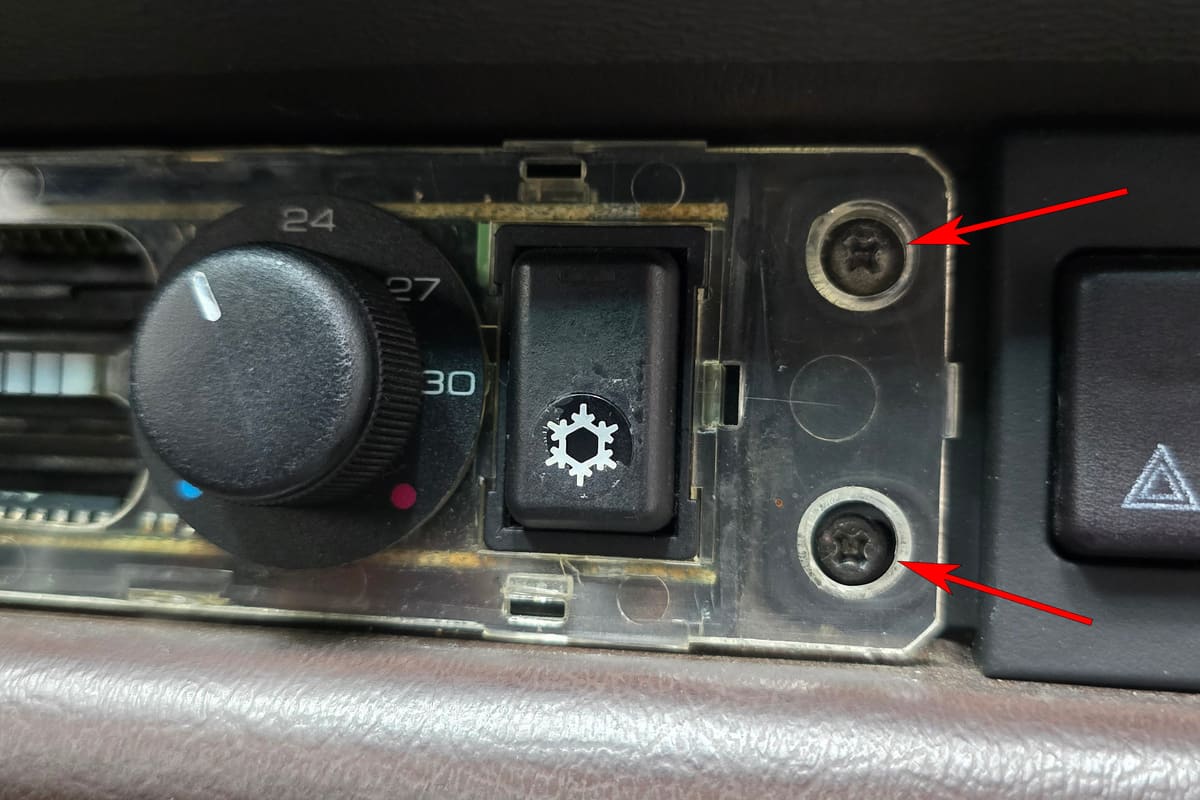
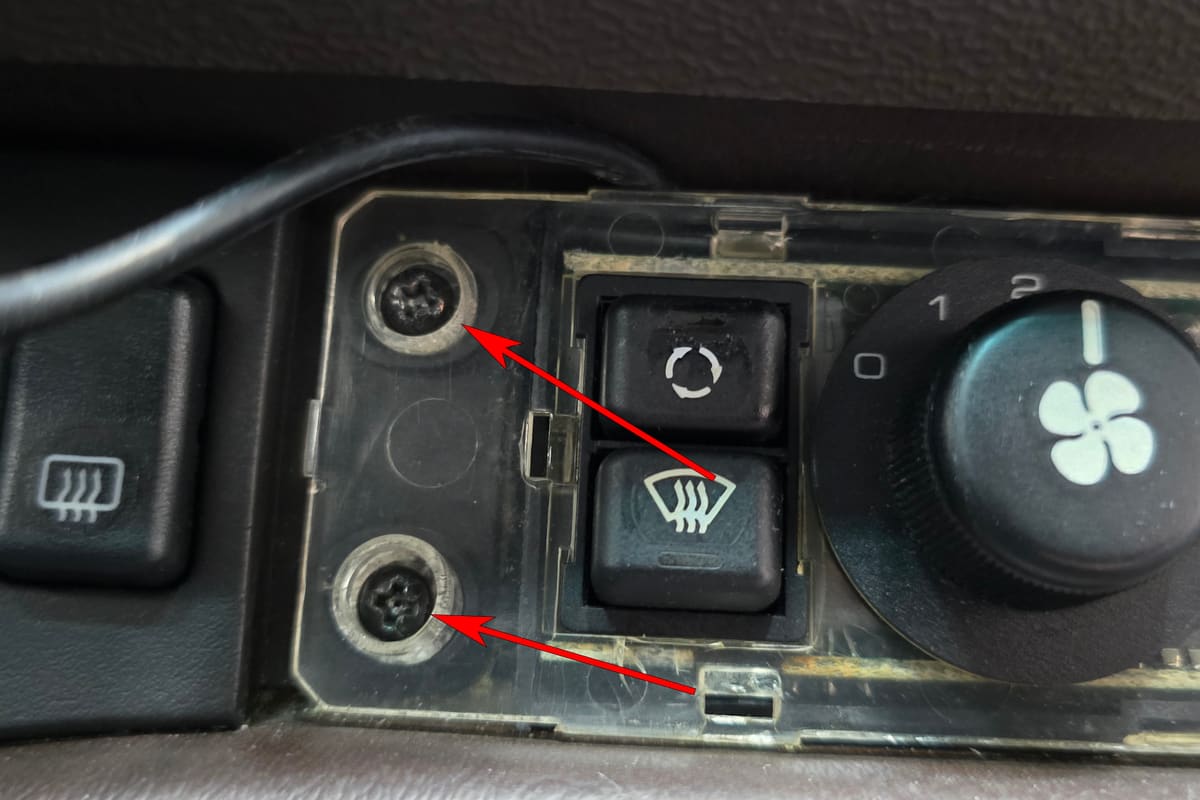
Pull the trim strip out.
Take care not to touch the 12V contacts on any metal, or you’ll blow a fuse.
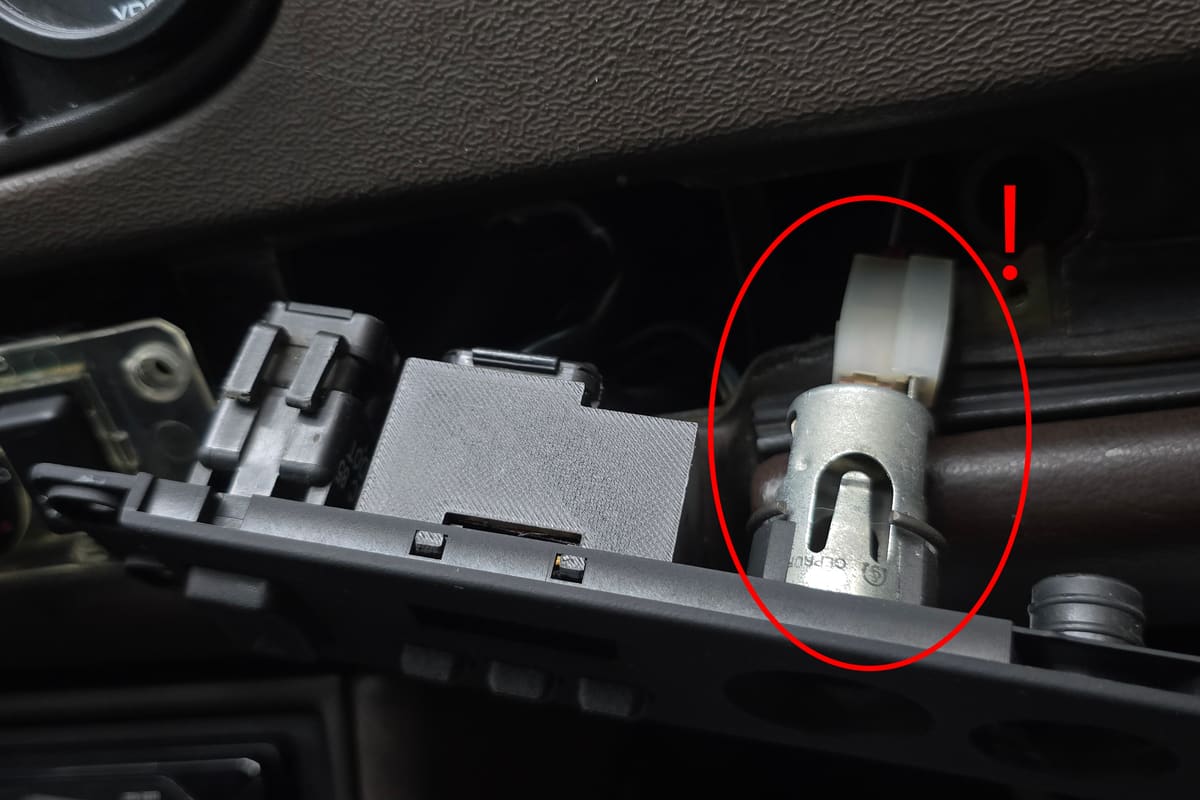
Unplug the old clock, then take out its two screws, one on each side, with the PH1.
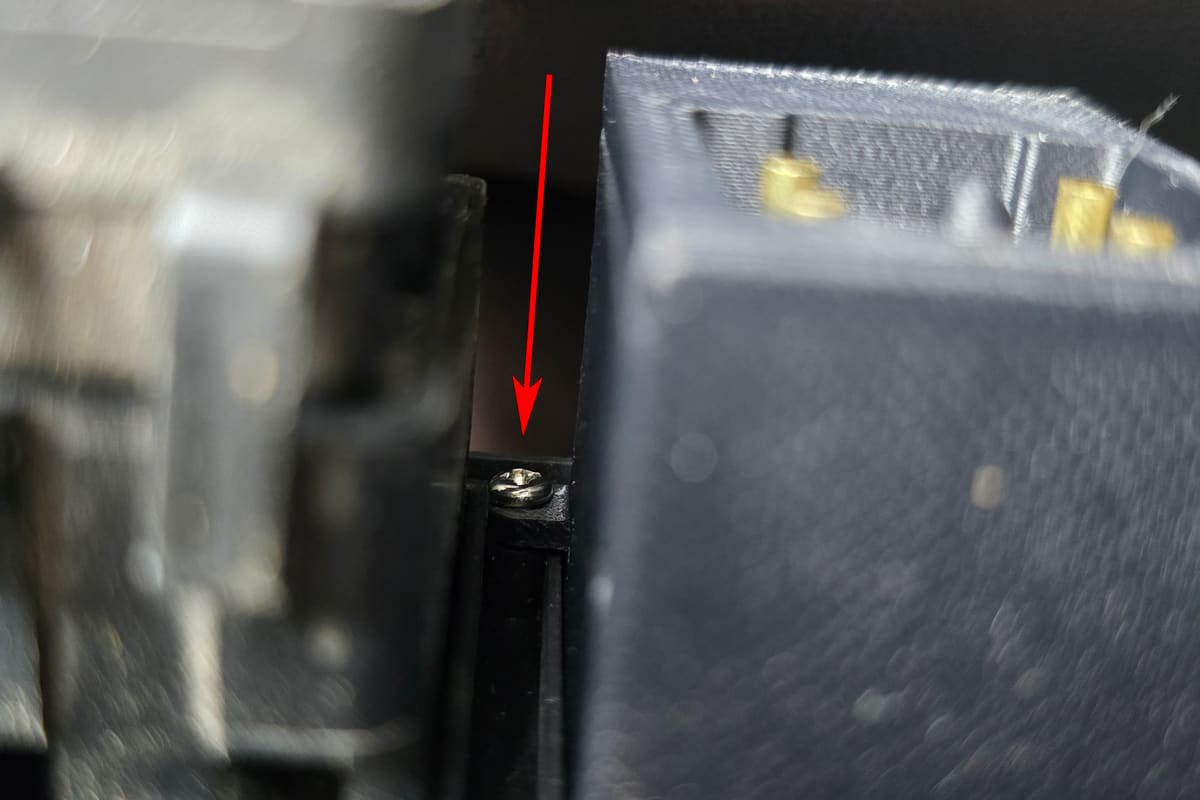
Tip the top of the old clock out of the trim and lift it out.
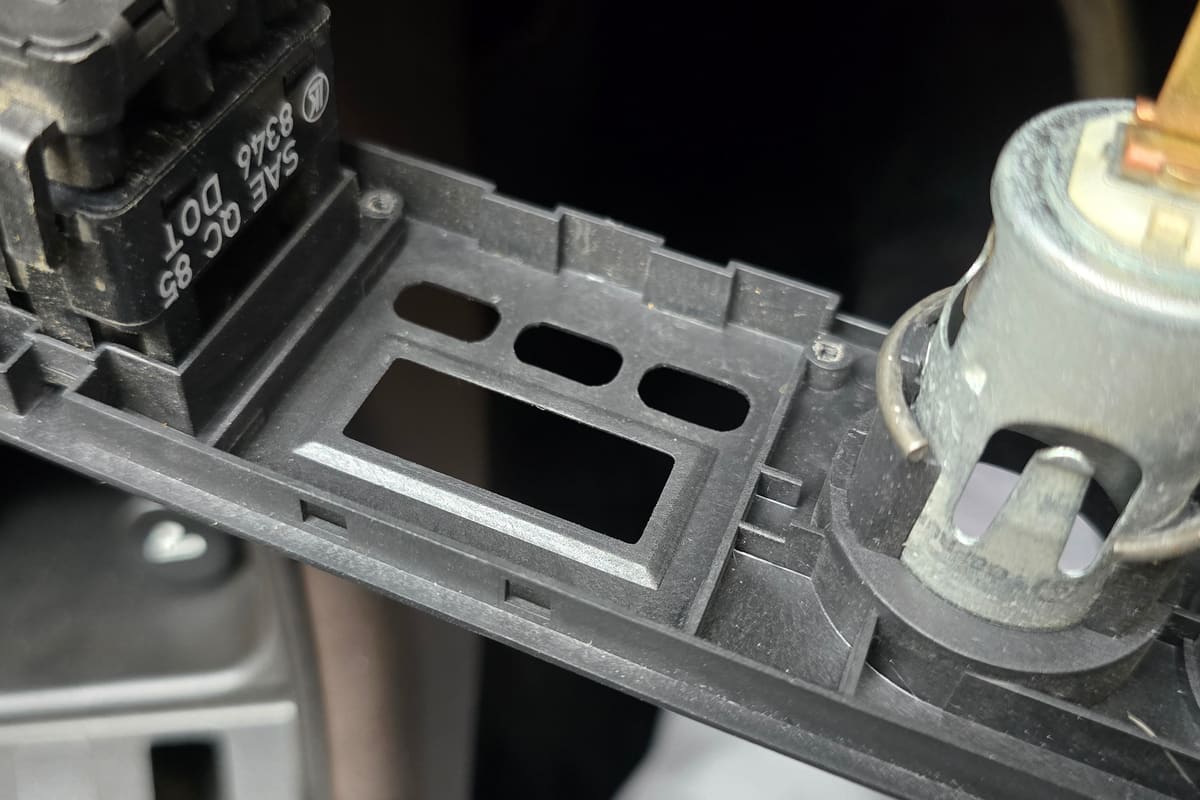
Installation is the reverse of above steps.
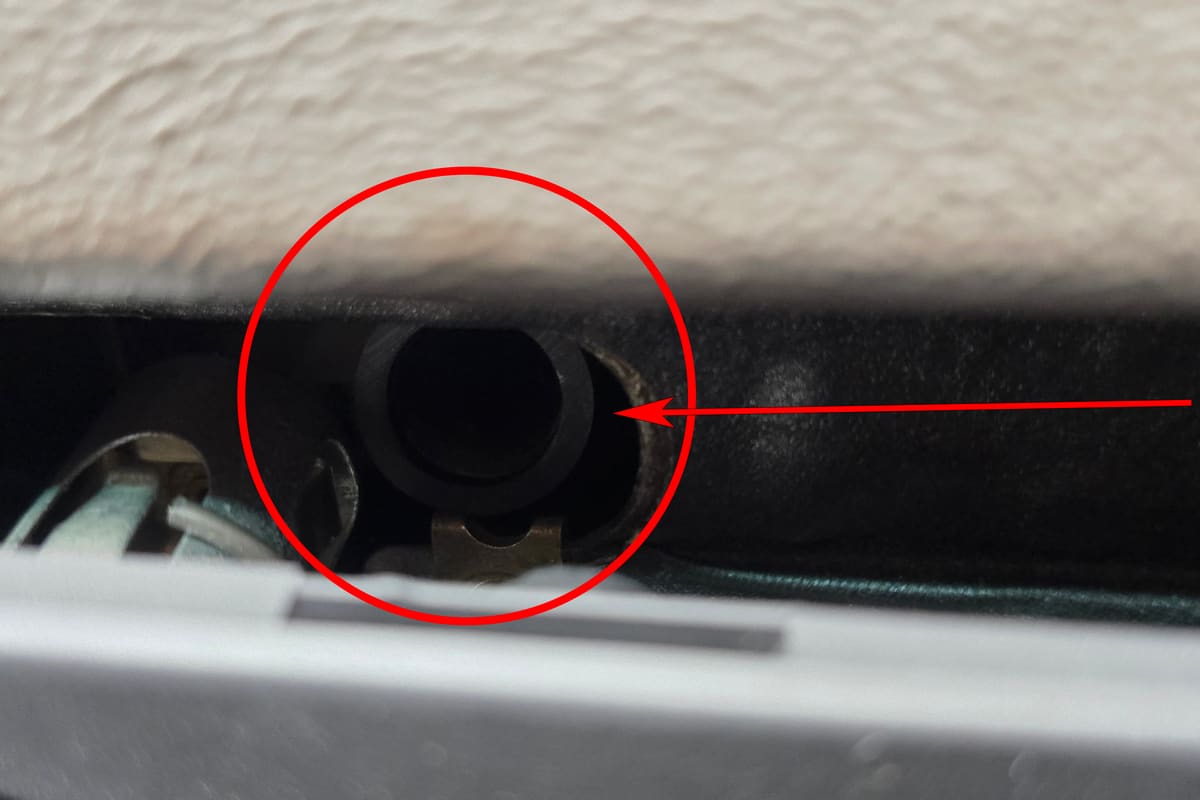
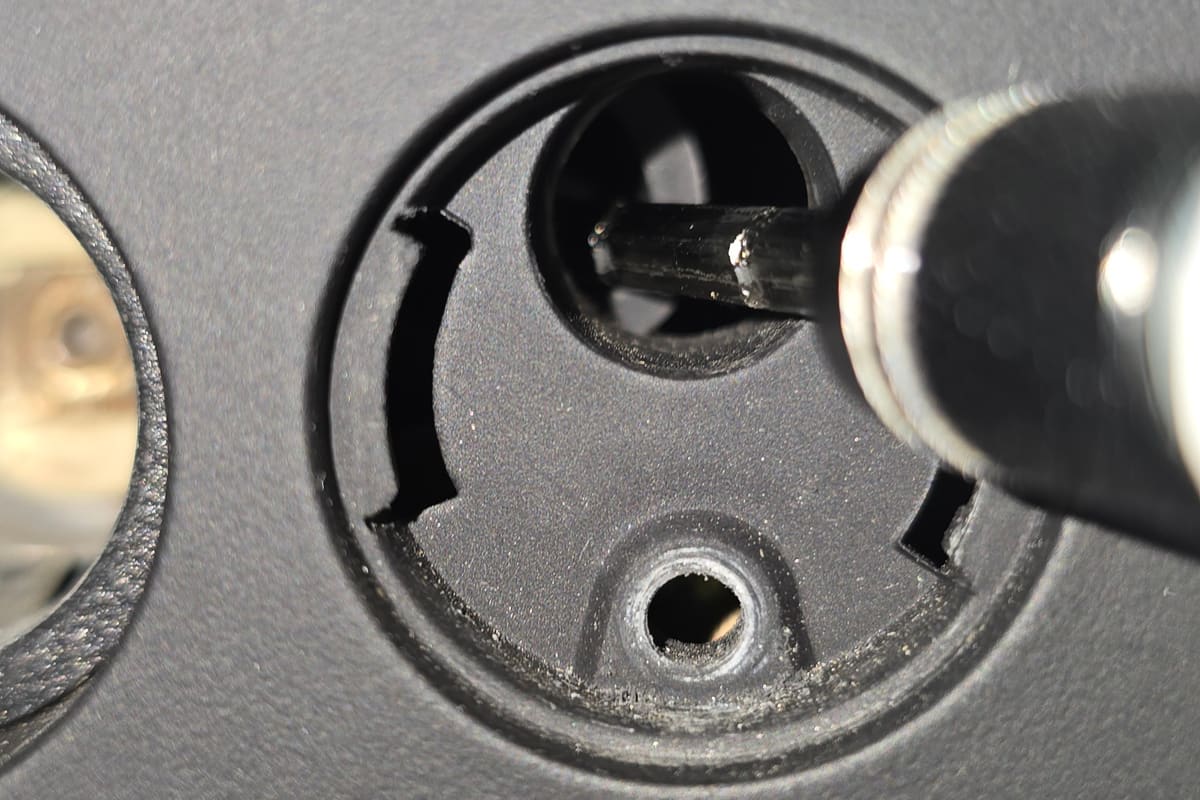
Take note of the hose connected to the trim. When reassembling, the hose should connect to the rear of the trim strip, behind the round grille. I use a screwdriver in the hole to help line it up.
3. Open the app
Open the Chrono944 app in your car and follow its setup.
Need help?
Email me at [email protected].